How to integrate your eMAG Store to your Deftship
Connect your store to DeftShip in just a few simple steps and start streamlining your shipping process.
DeftShip provides smart, reliable shipping solutions tailored to your business needs. By simplifying the shipping workflow, we help reduce the time and effort spent on fulfillment, allowing you to focus on what matters most—growing your business and delivering an exceptional experience to your customers.
Connect your eMAG store account to your Deftship
1. Log in to your Deftship account.
2. On the left sidebar, look for Integrations at the bottom and find Store. Then, click on Connect New Store.
3. Click on eMAG.
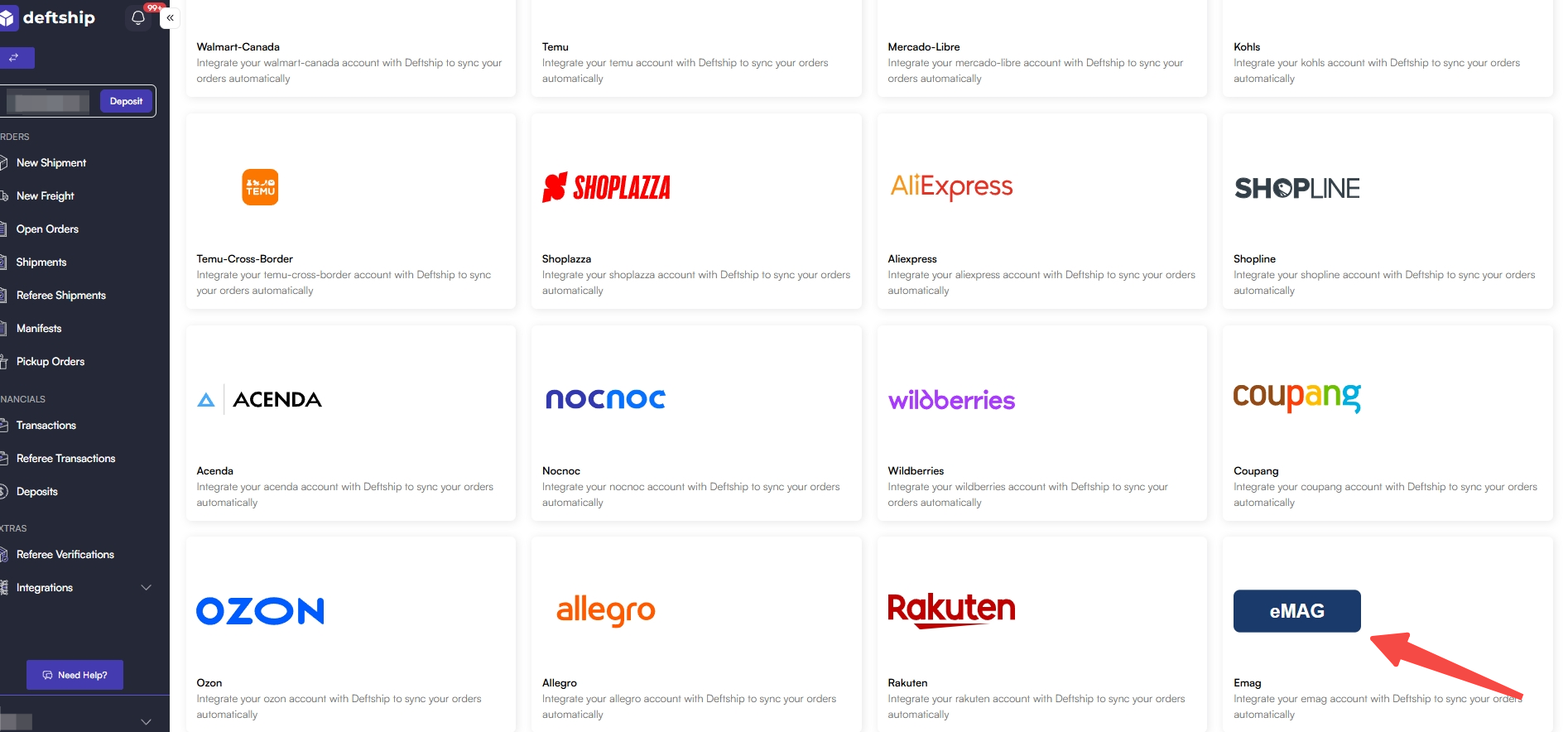
4. Type in your eMAG account details. (Asterisk * means required)
- Name: Enter a name for the integration in DeftShip. You may choose any name that helps you identify the integration.
- Username & Password: Enter the login credentials (username and password) for your eMAG account.
- Region: Select the region that corresponds to your eMAG store. You can find this information after logging in to your eMAG account.
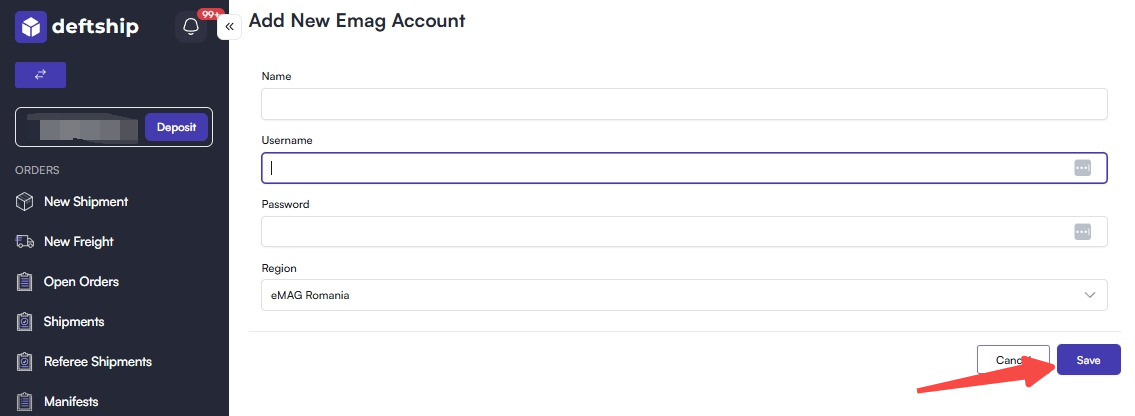
5. Click on Save to update.
Features of adding your eMAG to Deftship
1. Log in to your Deftship account.
2. On the left sidebar, look for Integrations at the bottom and find Store. Then, click on Connect New Store.
- Name: Enter a name for the integration in DeftShip. You may choose any name that helps you identify the integration.
- Username & Password: Enter the login credentials (username and password) for your eMAG account.
- Region: Select the region that corresponds to your eMAG store. You can find this information after logging in to your eMAG account.
Features of adding your eMAG to Deftship
1. Real-Time Order Synchronization
- Automatically import new orders from eMAG into DeftShip.
- Receive near real-time order updates to keep your operations current.
- Eliminate the need for manual order exports and imports.
2. Centralized Order Management
- Manage all your eMAG orders alongside orders from your other sales channels.
- Process, ship, and track orders from a single, unified dashboard.
- Simplify your multi-channel fulfillment workflow.
3. Standardized Order Data
- Automatically standardize customer and order information, including names, addresses, phone numbers, and SKUs.
- Handle regional address formats and special characters with ease.
- Reduce fulfillment errors caused by inconsistent order data.
4. Flexible Synchronization Rules
- Import orders based on your preferred order status (such as Paid or Ready to Ship).
- Filter orders by store, marketplace, country, or shipping method.
- Customize synchronization settings to fit your business workflow.
4. Automatic Shipment Updates
- Automatically send shipment status and tracking information back to eMAG.
- Keep your customers informed with timely delivery updates.
- Reduce customer inquiries by providing accurate shipment tracking.